FloorPlanForge
Draw

Day to Dusk Photo ConversionAI

Twilight exteriors get more clicks than any other listing photo — and they normally mean going back to the property at sunset. Upload the daytime shot instead and get the dusk version in seconds.

First render freeNo cardHD export
Upload a room photo
JPG, PNG, WEBP · drag & drop or click
Sky & mood

Images are processed by the rendering model only to produce your result and are not used for training. Renders are concepts, not construction documents.

Your result appears here
Connecting…

What it actually produces

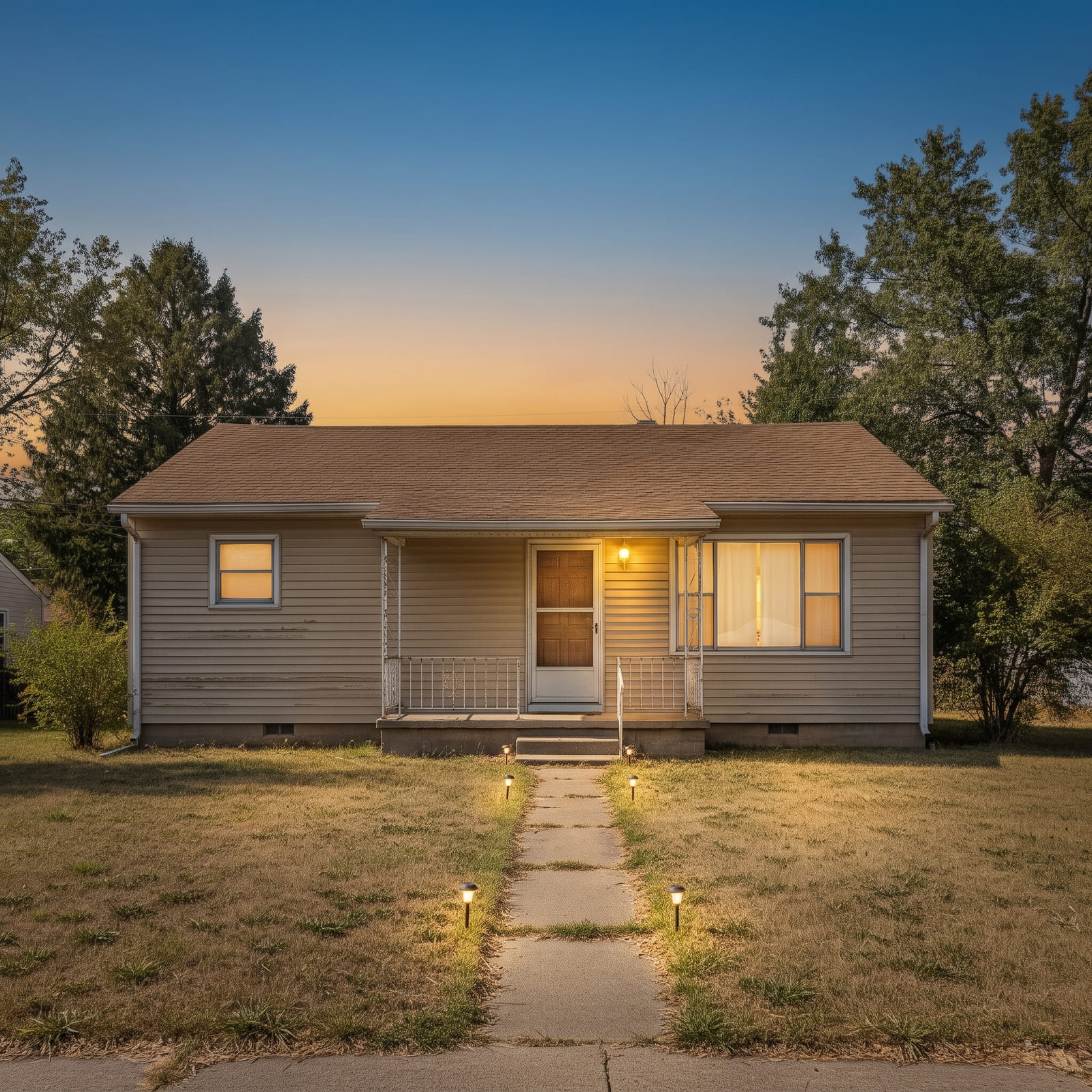
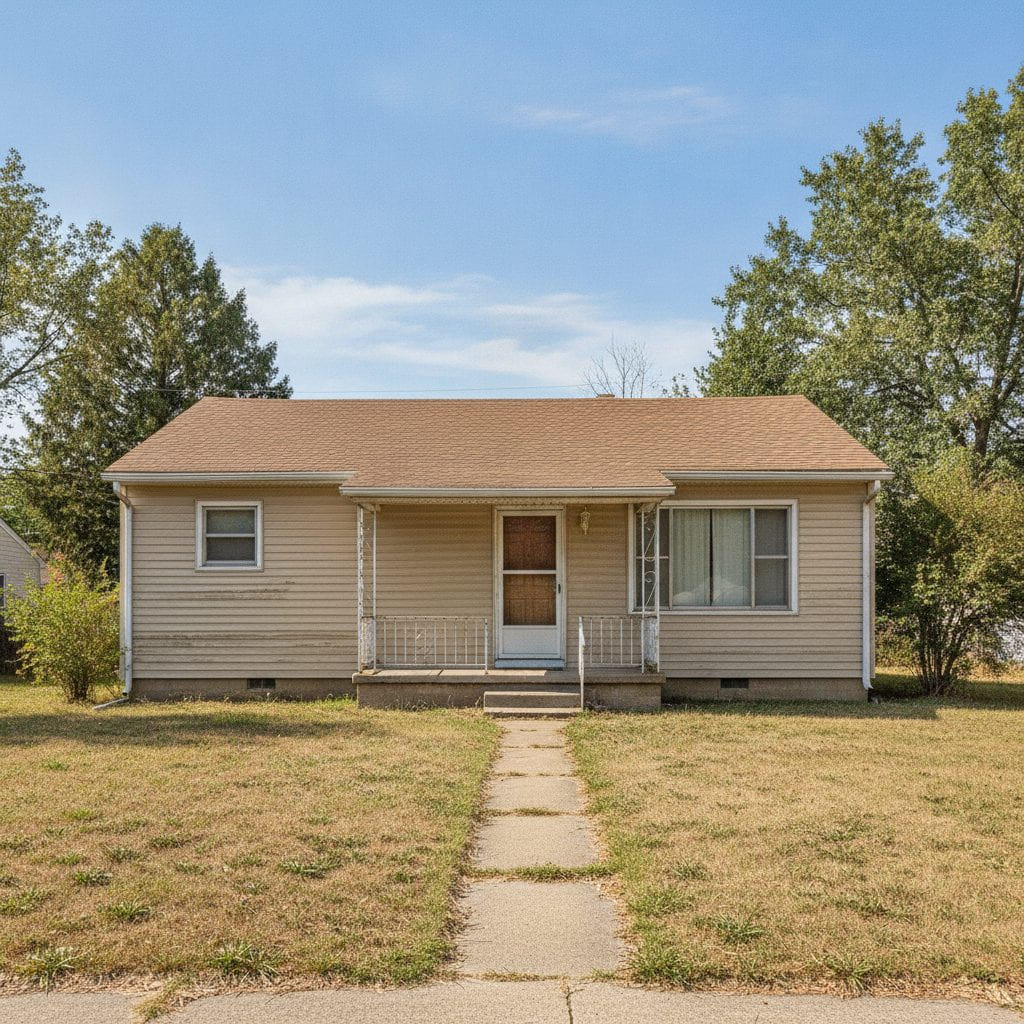
Drag the handle. This pair was made with the tool above — no retouching afterwards.

After
Before
BeforeAfter

How it works

  1. 1

    Upload a daytime exterior

    Shot from the street or driveway with the whole building in frame.

  2. 2

    Choose the sky and glow

    Golden hour is the safest for a listing; blue hour reads as more premium.

  3. 3

    Download

    Full resolution, no watermark. Label it as a dusk conversion where your MLS requires it.

Features

Sky replacement

A believable dusk sky matched to the direction and angle of the original light.

Window glow

Warm interior light in the windows — the detail that makes a twilight shot feel like a home.

Exterior lighting

Path lights, porch lights and uplighting switched on where they exist.

Honest geometry

The building, landscaping and everything fixed stays exactly as photographed.

Six moods

From a subtle golden hour for MLS to a dramatic sunset for social media.

Seconds, not a second visit

Editing services charge about $4 and take 24 hours; a sunset reshoot costs a whole evening.

Why twilight photos work

A dusk exterior does two things at once: the warm windows suggest the home is lived in and welcoming, and the darker sky pushes attention onto the building rather than the surroundings. That is why portals and agents use twilight shots as the hero image far more often than their share of the photo set would suggest.

The catch has always been logistics. Real twilight lasts about twenty minutes, needs a tripod, and often means a second trip. Converting the daytime shot removes the trip without removing the effect.

Getting a convincing conversion

Shoot the daytime original on an overcast day or in soft light if you can — harsh midday shadows point the wrong way for a dusk sky and can look odd. Include some sky in the frame so there is something to replace, and avoid photos where the sun is visibly behind the camera lighting the facade flat.

Keep the intensity setting natural for MLS photos. Dramatic sunsets are excellent for Instagram and can look over-processed on a listing.

Disclosure

Most MLS rules treat a dusk conversion as a material alteration of the photograph and expect a label — the same treatment as virtual staging. A caption reading “Dusk conversion” or “Virtually enhanced twilight” covers it. Our MLS rules guide covers the wording and where to put it.

Draw first, render second

The best AI renders start from an accurate layout. Draw or generate your plan with the free floor plan creator or generator, check it in the 3D viewer, then bring it here for atmosphere. Your saved plans appear directly as sources in the studio above.

Frequently asked questions

Do I need to disclose a day-to-dusk photo?+

Usually yes. Most MLS rules treat sky replacement and added window glow as a material change and expect a caption. Check your MLS handbook.

What does a day-to-dusk service normally cost?+

Around $4 per image with a 24-hour turnaround at established editing agencies.

Can it do interiors?+

Interiors are better served by our Interior Design AI with evening lighting, or Photo Enhancement with a warm setting. Day to dusk is built for exteriors.

Will the building change?+

No. The structure, landscaping and fixed features stay as photographed — only the sky, lighting and mood change.

How does the free tier work?+

Create a free account and your first edit is free — one photo, full quality, no card. After that each edit is one credit, bought in packs that never expire. The planning tools stay free forever and need no account.

Are my photos stored?+

Images are sent to the rendering model to produce the result and are not used for training. Results are kept briefly so you can download them; your history is stored in your own browser.

Can I use the results commercially?+

Yes — for listings, presentations, social media and client work. Edited photos must be disclosed where the rules require it (see our MLS guide).

More AI tools

Free drawing tools

Get the layout right first — free

Draw, generate and walk through your plan in 3D at no cost, then render it with AI when you want the photoreal look.