FloorPlanForge
Draw

Virtual Staging AIAI

Upload photos of an empty room and get them furnished realistically for your listing — walls, floors and windows untouched, tasteful furniture added.

First render freeNo cardHD export
Upload a room photo
JPG, PNG, WEBP · drag & drop or click
Style

Images are processed by the rendering model only to produce your result and are not used for training. Renders are concepts, not construction documents.

Your result appears here
Connecting…

What it actually produces

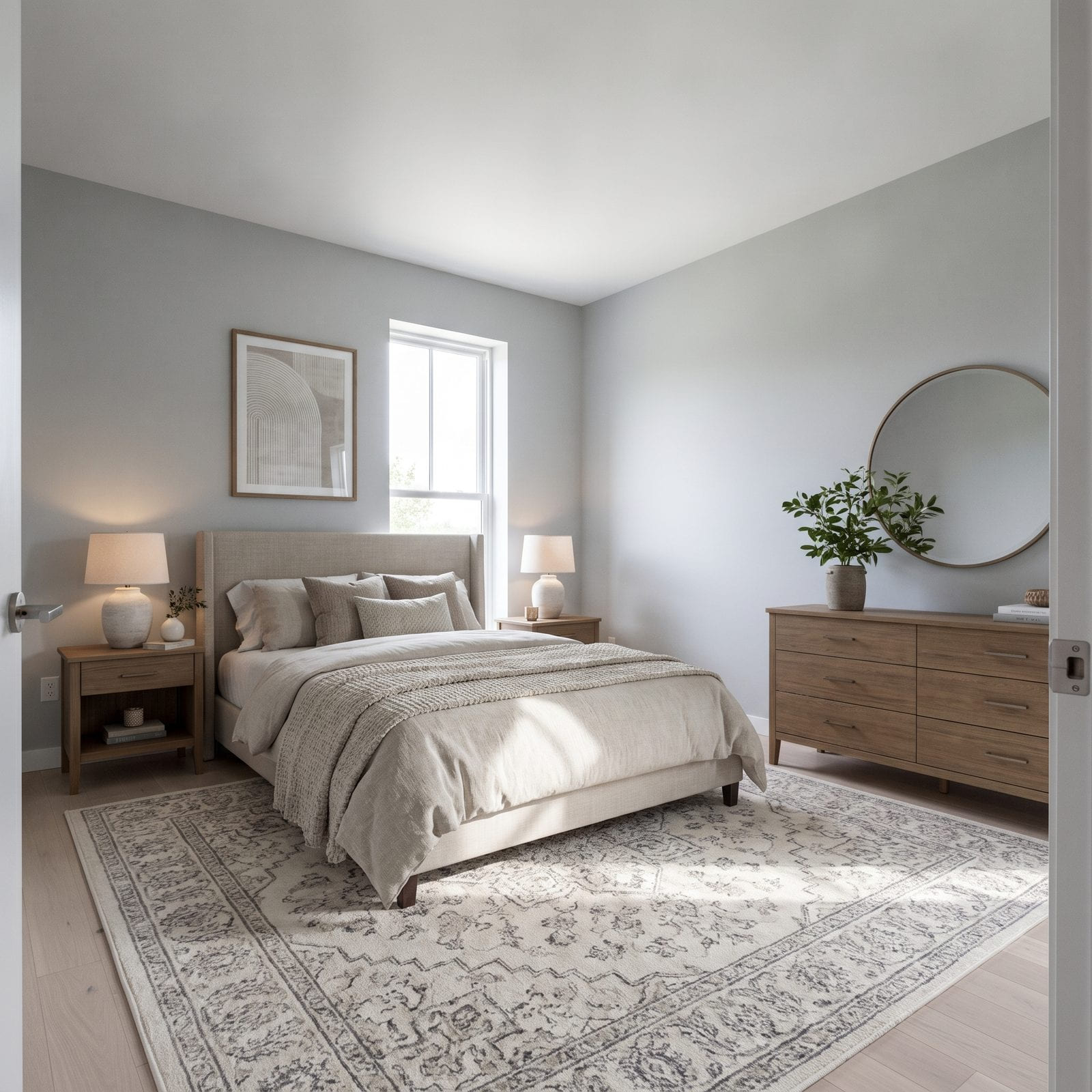
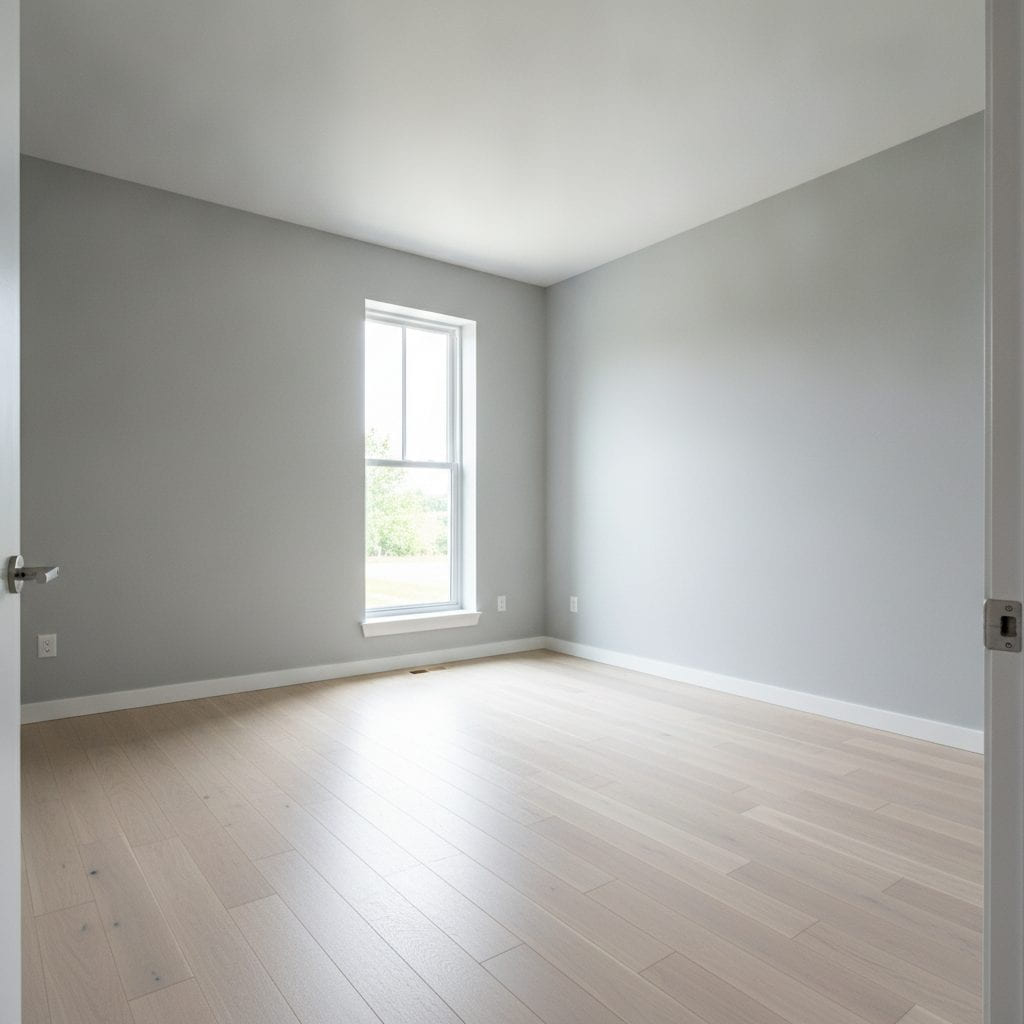
Drag the handle. This pair was made with the tool above — no retouching afterwards.

After
Before
BeforeAfter

How it works

  1. 1

    Upload the empty room

    Straight-on listing photo, good light, wide but not fisheye.

  2. 2

    Choose room type & style

    Add a short prompt if you want specific pieces.

  3. 3

    Generate & download

    Check the before/after, download, and label the listing photo as virtually staged.

Features

Listing-safe realism

Furniture is scaled to the room and shadows match the light — buyers can't tell.

Architecture untouched

Walls, floors, windows and fixtures remain exactly as photographed, as MLS rules expect.

Style to the buyer

Transitional for suburbs, modern for condos, farmhouse for rural — 10 styles.

Batch friendly

Stage every room of a listing in a few minutes; history keeps them together.

Fraction of the cost

Traditional virtual staging costs $25–$75 per photo and takes a day; this takes 20 seconds.

Declutter mode

Ask for 'empty and clean' to remove clutter before staging.

Why virtually stage

Staged listings sell faster and for more because buyers can picture living there; empty rooms look smaller and colder than they are. Physical staging costs thousands per month. Virtual staging adds furniture to the photo instead — and AI virtual staging does it in seconds rather than a day, at a fraction of the price.

Most MLS systems allow virtual staging as long as the photo is labelled as virtually staged and the architecture is unchanged — this tool keeps structural elements intact by design. Always disclose staging in the listing.

Getting the best staged photos

Shoot from the doorway or a corner at about 5 ft height, include the floor, keep verticals straight, turn on the lights. Choose a room type so the right furniture set is used, and pick a style that matches the buyer demographic. Ask for 'no clutter, neutral palette' for broad appeal.

Draw first, render second

The best AI renders start from an accurate layout. Draw or generate your plan with the free floor plan creator or generator, check it in the 3D viewer, then bring it here for atmosphere. Your saved plans appear directly as sources in the studio above.

Frequently asked questions

Is AI virtual staging allowed on the MLS?+

Generally yes when disclosed as virtually staged and when structural features are not altered. Check your local MLS rules.

Can it remove existing furniture?+

Add 'remove all furniture, empty and clean room' to the prompt first, then stage the result.

What about outdoor spaces?+

Choose Patio / outdoor as room type to add outdoor furniture and planting.

How does the free tier work?+

Create a free account and your first render is on us — one image, any tool, at full quality. No card, no trial countdown, nothing to cancel. After that a render is one credit, bought in packs that never expire. The drawing, generator, 3D and export tools stay free forever and need no account at all.

Are my photos stored?+

Images are sent to the rendering model to produce the result and are not used for training. Results are kept for a short time so you can download them; your history is stored in your own browser.

Can I use the results commercially?+

Yes — for listings, presentations, social media and client work. Photoreal renders are concepts, not construction documents.

More AI tools

Free drawing tools

Get the layout right first — free

Draw, generate and walk through your plan in 3D at no cost, then render it with AI when you want the photoreal look.