FloorPlanForge
Draw

Real Estate Photo EnhancementAI

Upload a listing photo and get the edit a professional retoucher would do — exposure balanced, colours true, verticals straight, windows no longer blown out. Editing agencies charge about $1.60 an image and take 24 hours; this takes seconds.

First render freeNo cardHD export
Upload a room photo
JPG, PNG, WEBP · drag & drop or click
Enhancement level

Images are processed by the rendering model only to produce your result and are not used for training. Renders are concepts, not construction documents.

Your result appears here
Connecting…

What it actually produces

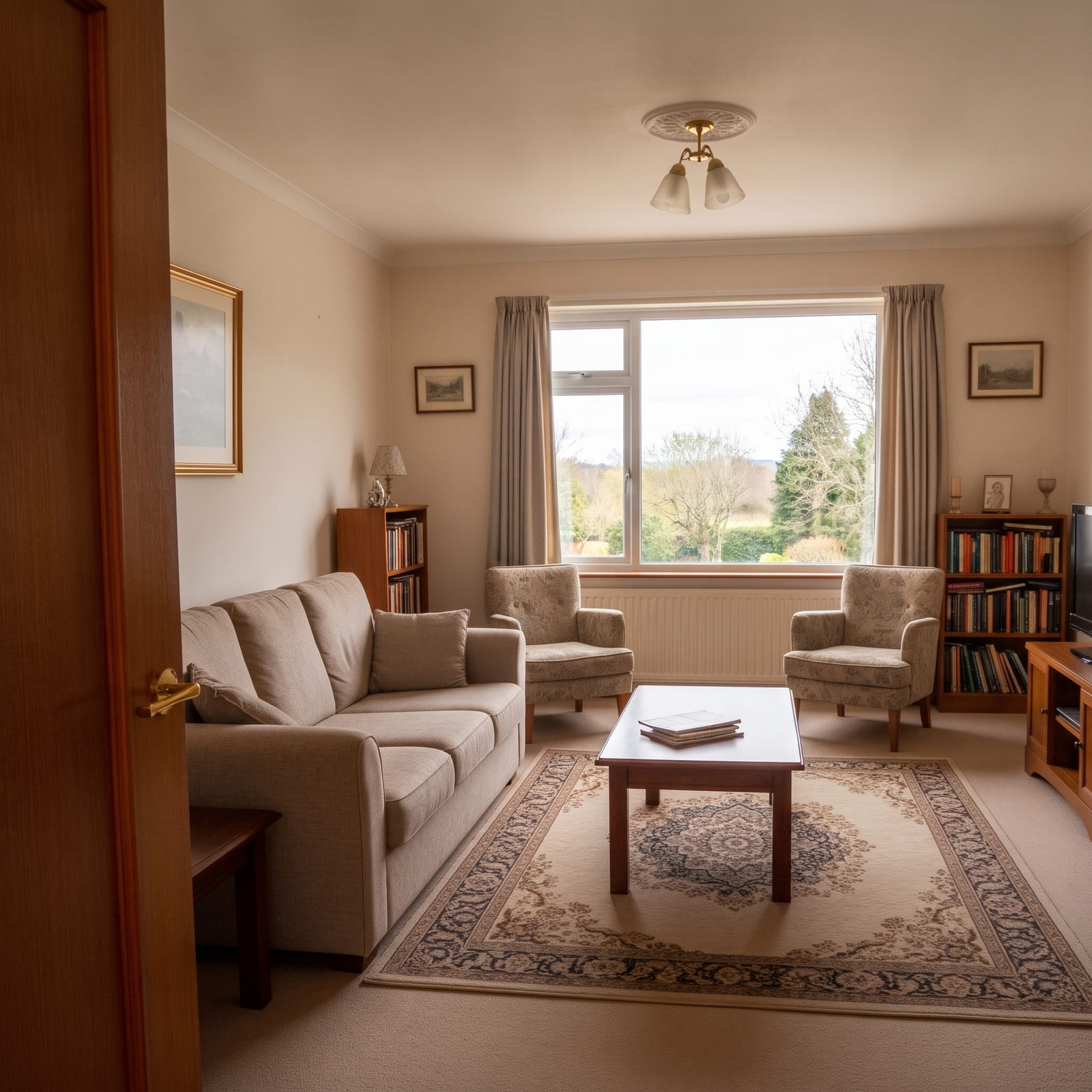
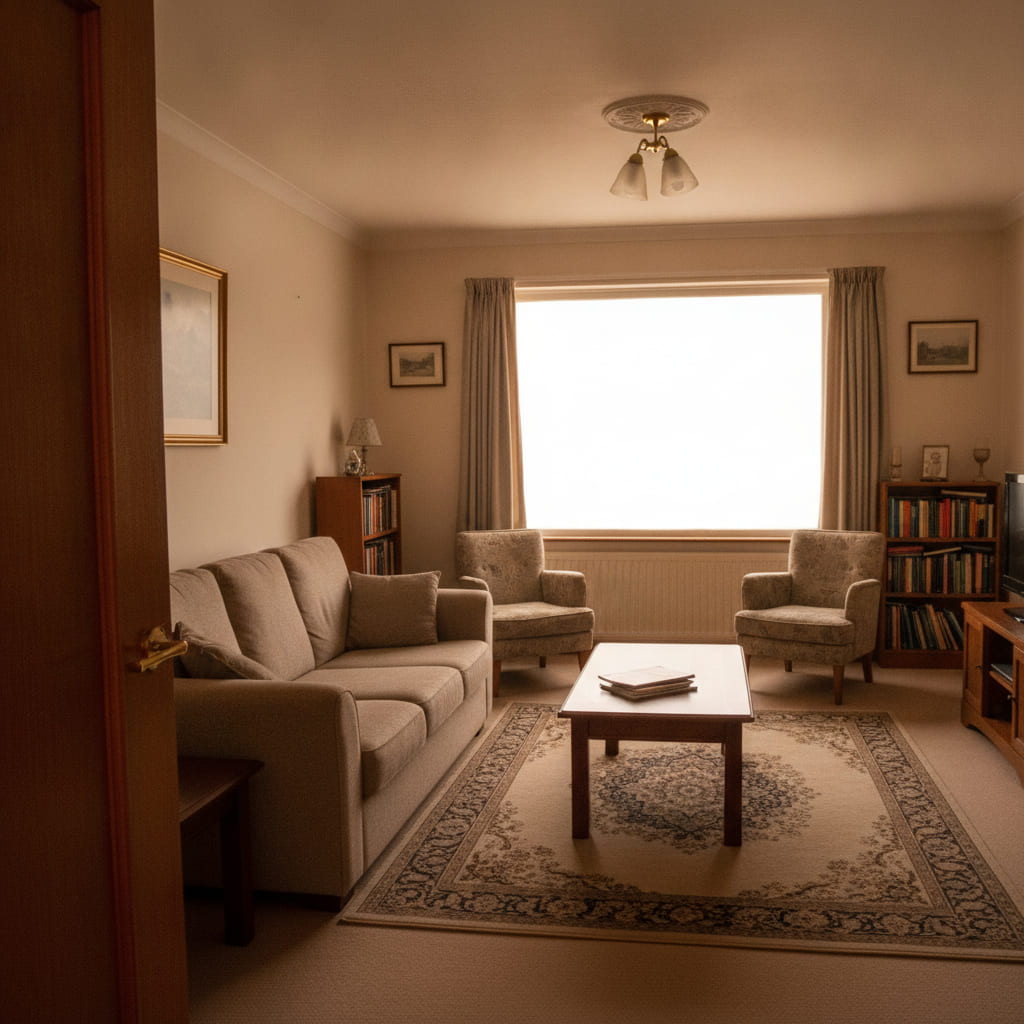
Drag the handle. This pair was made with the tool above — no retouching afterwards.

After
Before
BeforeAfter

How it works

  1. 1

    Upload the photo

    Straight from the camera or phone — JPG, PNG or WEBP.

  2. 2

    Pick a level

    Natural for MLS, brighter for social, magazine grade for a brochure cover.

  3. 3

    Download

    Compare before and after, then download at full resolution with no watermark.

Features

Exposure and contrast

Lifts shadows, recovers highlights and balances a room lit by mixed daylight and lamps.

True white balance

Removes the orange or green cast that tungsten and fluorescent lights leave on walls.

Window pull

Brings back the view through blown-out windows — the single edit that makes a photo look professional.

Straight verticals

Corrects the lean that wide-angle lenses give to door frames and wall corners.

Sky replacement

Swaps a flat grey sky for clear blue or soft cloud on exterior shots.

Nothing structural changes

Walls, fixtures, flooring and the property itself are untouched, so the photo stays an honest record.

What professional real-estate photo editing actually is

An unedited interior photo almost always has three problems: the room is darker than it looked in person, the windows are pure white, and the colour is pulled warm by the lamps. A retoucher fixes those three things in every image — that is the bulk of what a $1.60-per-photo editing service delivers, alongside straightening and a little sharpening.

This tool performs the same corrections in one pass. It does not change the property: no furniture is added, no fixtures replaced, no damage hidden. That distinction matters, because photo enhancement is the one editing category that needs no disclosure — it is the digital equivalent of choosing a better exposure.

Shooting so the edit has something to work with

Shoot at chest height with the camera level; a tilted camera makes verticals converge and the correction costs sharpness. Turn every light on, open blinds, and expose for the walls rather than the window — a slightly dark frame recovers far better than a blown one. Wide but not fisheye: 16–24 mm equivalent flatters a room, anything wider distorts it.

If your camera offers bracketing, keep the middle frame. Single-frame photos edit perfectly well; the model does not need an HDR stack.

Draw first, render second

The best AI renders start from an accurate layout. Draw or generate your plan with the free floor plan creator or generator, check it in the 3D viewer, then bring it here for atmosphere. Your saved plans appear directly as sources in the studio above.

Frequently asked questions

Is enhanced photography allowed on the MLS?+

Yes. Colour, exposure and straightening corrections are standard practice and need no disclosure, because the property itself is unchanged. Adding furniture or removing fixtures is different — see our MLS rules guide.

How does this compare to a $1.60 editing service?+

Same corrections, seconds instead of 24 hours, and no per-image invoice. A human editor still wins when a photo needs judgement calls — a difficult mixed-lighting shot, or compositing several exposures.

Will it change my flooring or fixtures?+

No. The prompt explicitly preserves the property; only tone, colour and geometry are corrected.

What resolution do I get back?+

Up to 4K on the Pro quality setting, which is more than enough for portals and print.

How does the free tier work?+

Create a free account and your first edit is free — one photo, full quality, no card. After that each edit is one credit, bought in packs that never expire. The planning tools stay free forever and need no account.

Are my photos stored?+

Images are sent to the rendering model to produce the result and are not used for training. Results are kept briefly so you can download them; your history is stored in your own browser.

Can I use the results commercially?+

Yes — for listings, presentations, social media and client work. Edited photos must be disclosed where the rules require it (see our MLS guide).

More AI tools

Free drawing tools

Get the layout right first — free

Draw, generate and walk through your plan in 3D at no cost, then render it with AI when you want the photoreal look.