FloorPlanForge
Draw

Item Removal & Virtual CleaningAI

Remove the seller's clutter, empty a furnished room, or clear cars and bins from the driveway. Editing agencies charge $4–$8 per photo for this; here it takes seconds and you can iterate until it's right.

First render freeNo cardHD export
Upload a room photo
JPG, PNG, WEBP · drag & drop or click
What to remove

Images are processed by the rendering model only to produce your result and are not used for training. Renders are concepts, not construction documents.

Your result appears here
Connecting…

What it actually produces

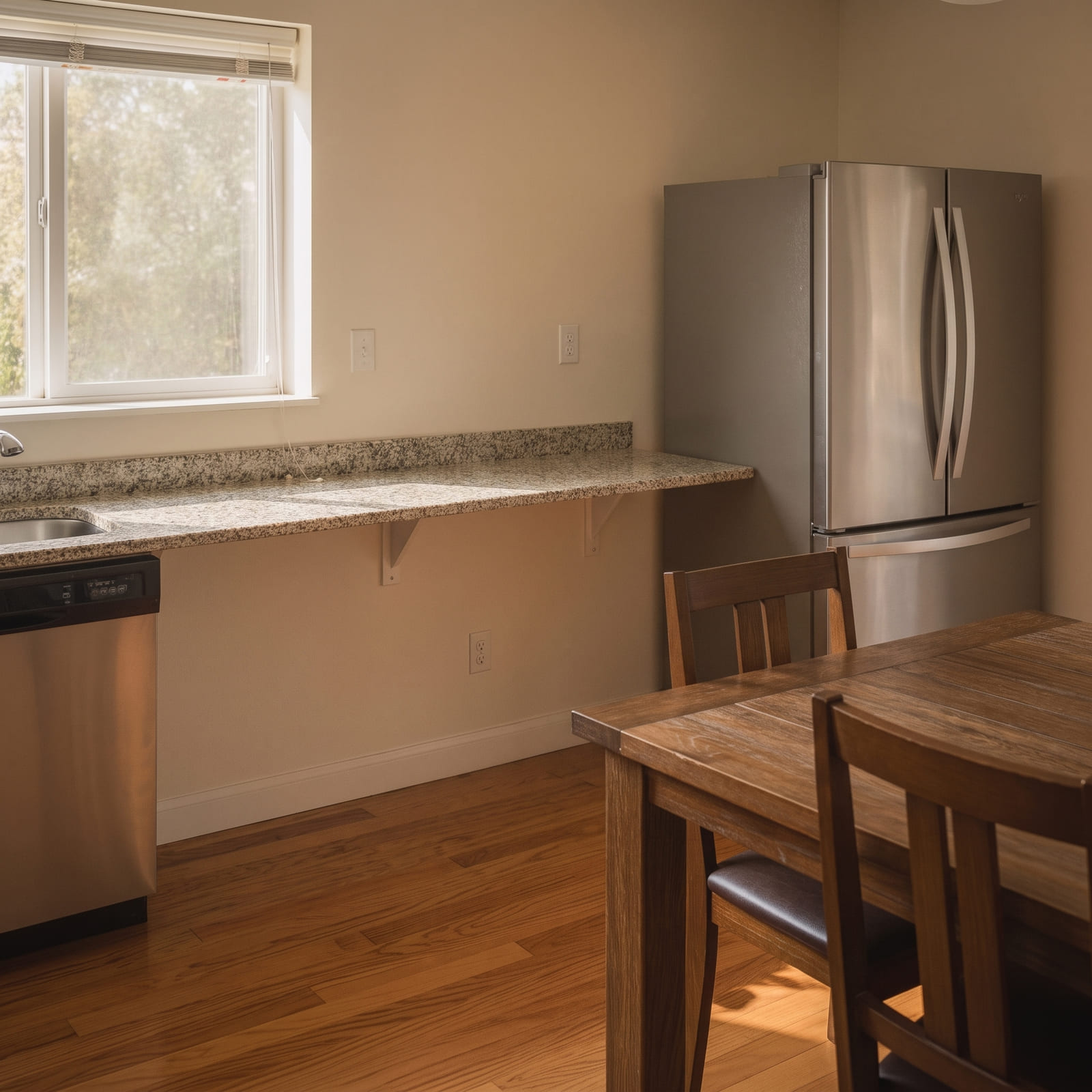
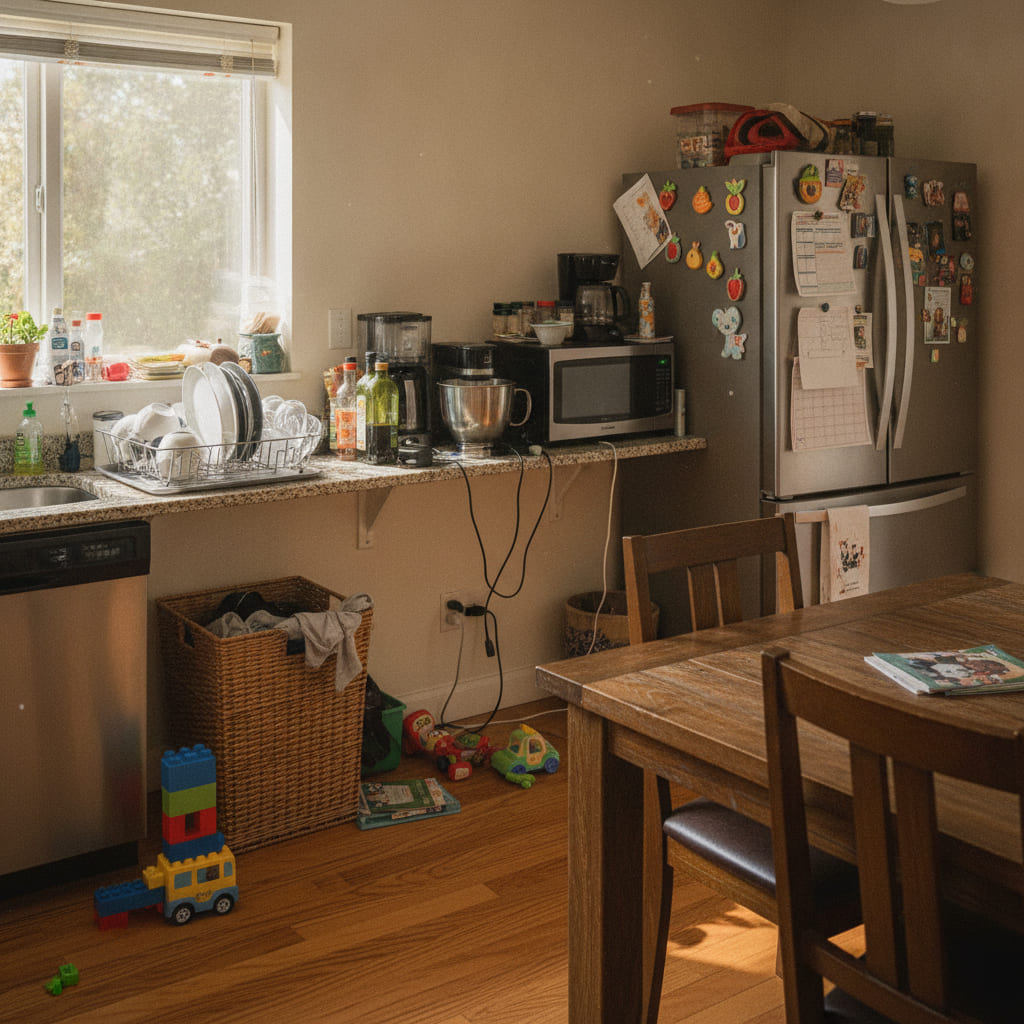
Drag the handle. This pair was made with the tool above — no retouching afterwards.

After
Before
BeforeAfter

How it works

  1. 1

    Upload the photo

    Any listing or room photo, straight from the camera.

  2. 2

    Choose what goes

    Tidy, declutter or empty completely — plus specific items in the prompt.

  3. 3

    Download or stage

    Download the clean photo, or send it to Virtual Staging to furnish it fresh.

Features

Clutter removal

Personal photos, laundry, toys, countertop appliances, paperwork — gone, with the surfaces behind reconstructed.

Empty a room

Strip a furnished room back to bare walls and floor, ready for virtual staging in a different style.

Outdoor cleanup

Cars, bins, hoses, garden tools and pool toys removed from driveways and yards.

Cable tidy

TV cables, chargers and power strips removed from walls and skirting.

Property untouched

Walls, flooring, fixtures and the building stay exactly as they are — only removable objects go.

Pairs with staging

Empty the room here, then furnish it with Virtual Staging AI in any style you like.

Decluttering versus emptying

Two different jobs hide behind one word. Decluttering removes the seller's belongings while leaving the furniture that gives a room scale — this is the safer edit for an occupied listing, and it is what most buyers assume they are seeing. Emptying strips the room back to walls and floor, which is the right first step when you intend to virtually stage it in a completely different style.

Do the second one and you should re-stage before publishing: a bare room photographs smaller than it is, and buyers struggle to judge scale without a reference object.

What you must not remove

Removing the seller's possessions is normal practice. Removing anything fixed or anything that affects the buyer's assessment is not: structural posts, radiators, vents, electrical panels, damp patches, cracks, a neighbouring building, or power lines across the view. Those edits cross from marketing into misrepresentation, and they are the ones that produce complaints.

Our MLS rules guide sets out where the line sits and how to disclose what you did change.

Draw first, render second

The best AI renders start from an accurate layout. Draw or generate your plan with the free floor plan creator or generator, check it in the 3D viewer, then bring it here for atmosphere. Your saved plans appear directly as sources in the studio above.

Frequently asked questions

Can I remove furniture from a listing photo?+

Yes — removing the seller's belongings is standard practice. Keep fixed features and any defects intact, and disclose material alterations as your MLS requires.

What does item removal cost at an editing agency?+

Typically $4 for a simple removal and up to $8 for complex virtual cleaning, with a 24-hour turnaround.

Can it empty a fully furnished room?+

Yes — choose 'Empty the room'. Expect to run it once or twice; heavily furnished rooms sometimes need a second pass.

What happens behind the removed object?+

The model reconstructs the floor, wall and skirting behind it. Check the result on large removals — occasionally a pattern needs a re-run.

How does the free tier work?+

Create a free account and your first edit is free — one photo, full quality, no card. After that each edit is one credit, bought in packs that never expire. The planning tools stay free forever and need no account.

Are my photos stored?+

Images are sent to the rendering model to produce the result and are not used for training. Results are kept briefly so you can download them; your history is stored in your own browser.

Can I use the results commercially?+

Yes — for listings, presentations, social media and client work. Edited photos must be disclosed where the rules require it (see our MLS guide).

More AI tools

Free drawing tools

Get the layout right first — free

Draw, generate and walk through your plan in 3D at no cost, then render it with AI when you want the photoreal look.